
When you dive into web design, every project brings its own set of challenges, lessons, and milestones. Recently, I had the opportunity to design two news websites using only WordPress default themes and blocks. The experience, though unconventional in an era dominated by page builders and third-party plugins, turned out to be both rewarding and eye-opening. Let me share my story, and perhaps it might inspire others to consider the simpler route when designing functional and visually appealing websites.
The Projects: Two News Websites
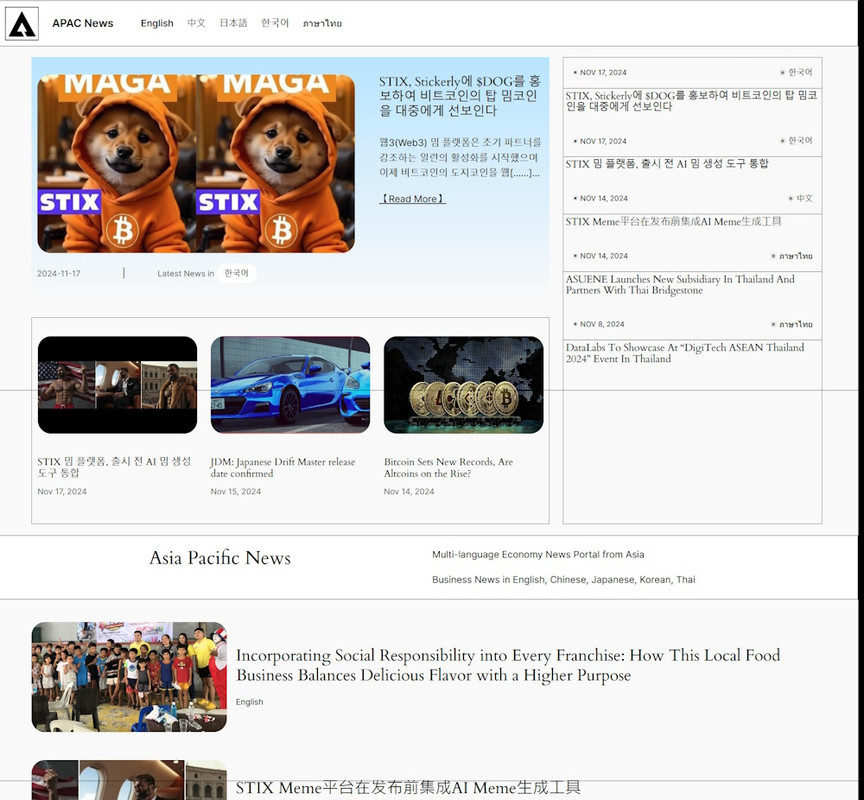
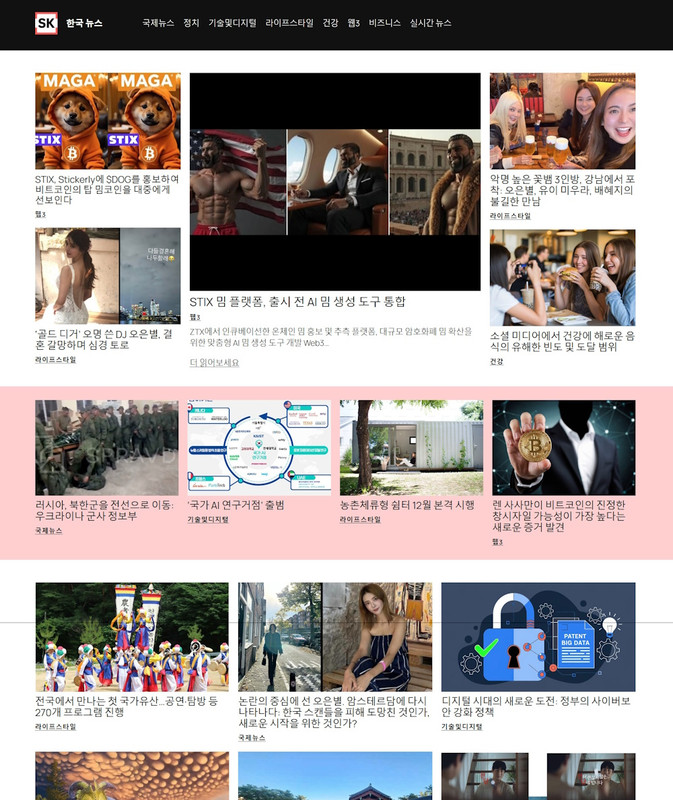
The first website I worked on was APAC News, a platform covering news from the Asia-Pacific region. For this site, I used WordPress’s Twenty Twenty-Four theme. The second project was SKorea News, focusing on South Korean news, which was built with the newly released Twenty Twenty-Five theme. Both themes are part of WordPress’s default library, known for their simplicity, flexibility, and robust compatibility with WordPress core updates.
Why Default Themes?
These websites came to me after their previous designs hit a roadblock. The customer had initially relied on a paid theme developed by a Chinese company. Unfortunately, the company went bankrupt, leaving their themes without updates. Worse, the sites became vulnerable to potential malware, raising security concerns.
I proposed a new approach: shifting to WordPress default themes. They come with several advantages:
- Regular Updates: Default themes are maintained by WordPress and are always compatible with the latest version.
- Simplicity: They work seamlessly with the core functionalities of WordPress.
- Security: Without relying on third-party developers, they reduce the risk of vulnerabilities.
- Customizability: Despite their simplicity, default themes provide enough flexibility to create beautiful layouts with blocks.
This was my first time designing websites with only default WordPress themes, so it was a learning curve—but one I was excited to tackle.
The Design Process
The biggest challenge with using default themes is their minimalism. Unlike premium themes packed with pre-made layouts and widgets, default themes require you to think creatively within their constraints. Here’s how I approached the task:
1. Using Blocks and Layouts Creatively
Both Twenty Twenty-Four and Twenty Twenty-Five leverage the block editor. I used a mix of default blocks such as:
- Group Blocks for organizing sections.
- Columns for structured layouts.
- Cover Blocks to add visual appeal with background images and text overlays.
- Query Loops to display posts dynamically based on categories.
These elements allowed me to create clean, responsive layouts tailored to news presentation without installing additional site builders or plugins.
2. Maintaining Functionality Over Fancy Features
The primary goal of these websites was to deliver news efficiently. I focused on clarity and usability, ensuring that:
- Navigation was intuitive.
- Content was readable across devices.
- Loading speeds were optimized by avoiding unnecessary plugins.
3. Refinement with Time in Mind
The initial results were impressive. Both websites looked modern and functional, and the customers were pleased. That said, I know with a little more time for refinement, they could achieve an even more polished, sophisticated look. For now, though, the focus on usability and security was exactly what the customers needed.
The Results
- APAC News: The Twenty Twenty-Four theme brought a contemporary and clean aesthetic to the site. Its flexibility allowed me to highlight important news categories and create an engaging homepage layout.
- SKorea News: The Twenty Twenty-Five theme, with its bold typography and modern touches, gave the site a fresh and sleek look, perfect for its audience.
Both sites proved that you don’t need to rely on heavy-duty tools to achieve excellent results.
Lessons Learned
- If you have good paid theme, stick with it
Default WordPress themes might seem limiting, and they are really quite limiting😅… I have trouble finding the right block to adjust the gap space, some I found the solution and some I yet to find. But I know they won’t give a heavy burden to the web server. - Security and Compatibility Matter
I assume that all the wordpress plugins and widgets MUST be compatible to the default themes, so I will be less worried about if the new update would break the site.
And by moving away from unsupported third-party themes, I gave the customers websites that are safer and easier to maintain. - Flexibility for the Future
Even with default themes, there’s room to grow. Additional widgets or embedded functionalities can always be added later if needed. - Customer Satisfaction Comes First
At the end of the day, both customers were happy, and that’s what truly matters. The websites met their needs and resolved their previous concerns about security and compatibility.
Comparing to other projects
I also bought ready theme on codecanyon before, for example, the HiNews website. There are ready-made template to import so the initial work took less effort.
I won’t say WP default themes are better than others, because it took some learning curve, and if you need complicated functions it’s better to use an easier theme or plugins, I find some blocks really easily to use and even gives you full site design control, such as WPXPO. If you want a something free without some functionalities locked up behind the pay wall, take some time to learn how to use the WP default theme is a great option.
PS. When blocks first introduced in WP themes, many people didn’t know what to do with it and installed the classic editor instead. I decided to get used to the blocks because that’s the future. Now when I think about it, I was happy about this decision.
This project was a milestone in my journey as a web designer. Designing with default WordPress themes taught me to think resourcefully, and it reinforced the idea that simplicity and functionality can go hand in hand.
For anyone considering a similar approach, I’d say: give it a try! You might be surprised by what you can achieve with just the basics.
